LogoImage Control AI
  • Camera Angles
  • Qwen Image Edit
  • Pricing
LogoImage Control AI

Generate consistent multi-angle views from a single reference image.

Tools
  • Camera Angles
  • Qwen Image Edit
  • Pricing
Legal
  • Privacy Policy
  • Refund Policy
  • Terms of Service
© 2026 Image Control AI. All Rights Reserved.
Powered by Qwen AI

Qwen Image Edit

Flexible AI image editing for background changes, text updates, scene refinements, and consistent subject variations.

Click, drop, or paste imagesJPEG, PNG or WebP · Up to 10 MB

Sign in for 50 free credits + 1 free generation daily

Output will appear here

Qwen Image Edit with 3D Camera Control

What It Does

Why Qwen Image Edit fits flexible editing workflows

The value of Qwen Image Edit is controlled flexibility. It can preserve identity, edit text inside the image, refine specific areas, and generate useful new variations from one source image.

Subject Consistency

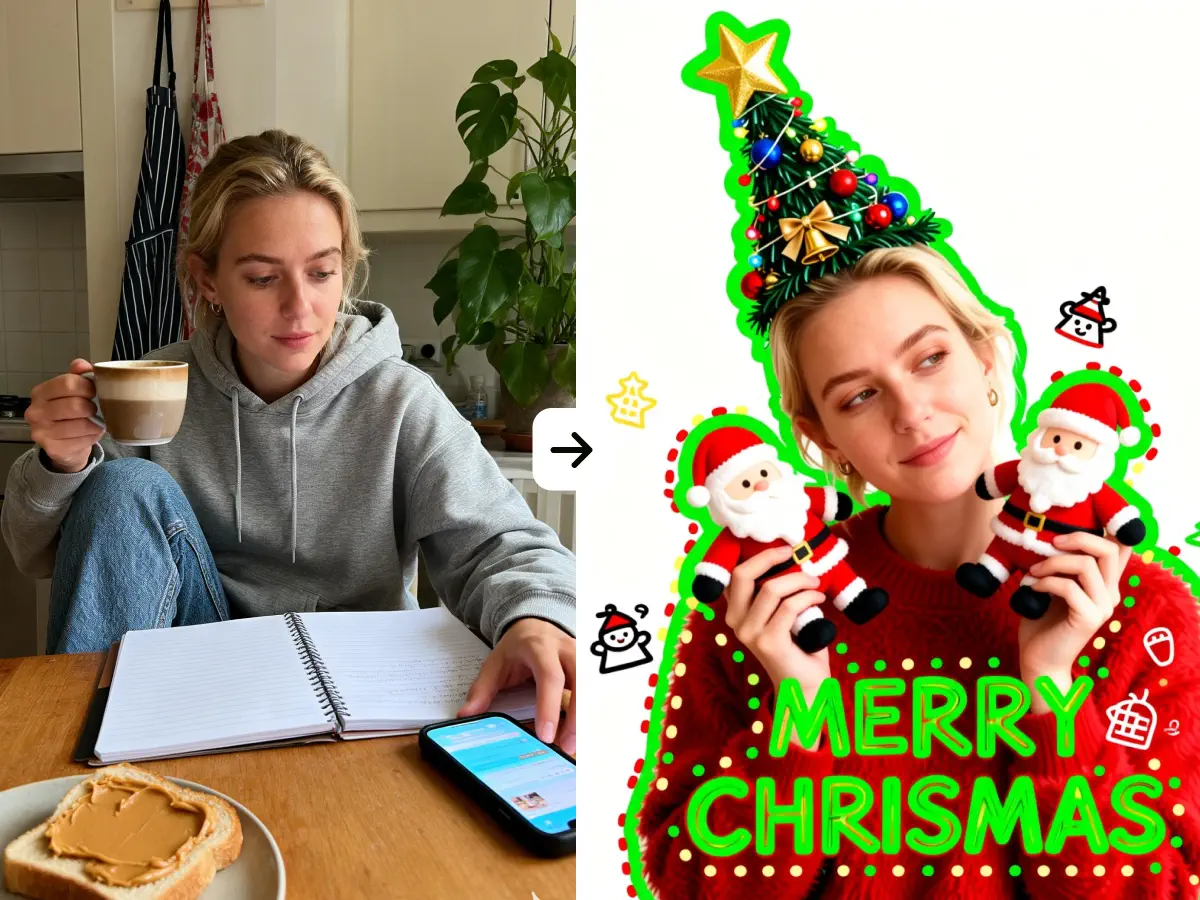
One of the main reasons people use Qwen Image Edit is consistent editing. It can change the scene around a person or product while preserving visual appearance, facial characteristics, and other core details.

Edit image text

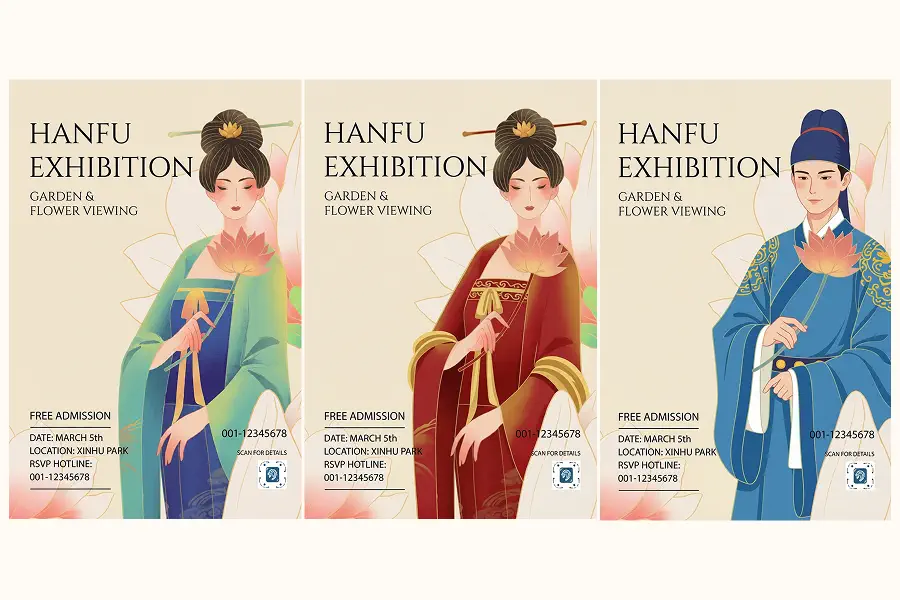
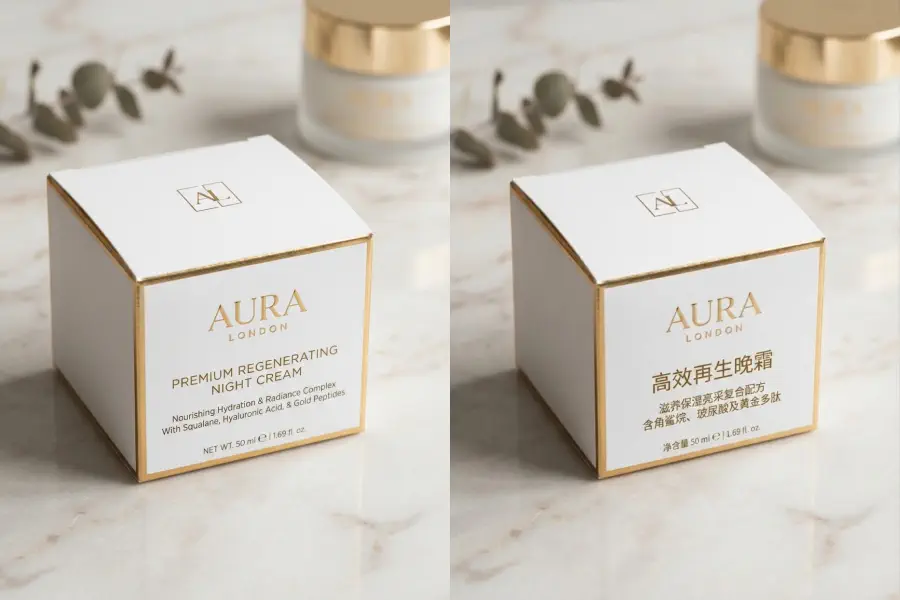
Qwen Image Edit is especially useful when you need to replace labels, signage, poster copy, or packaging text while keeping the original font feel, size, and layout. It works well for both English and Chinese text updates.

Refine specific areas

Add, remove, or replace elements in a targeted part of the image without disturbing everything else. That makes Qwen Image Edit useful for precise local fixes instead of full-image rework.

Change View Angle

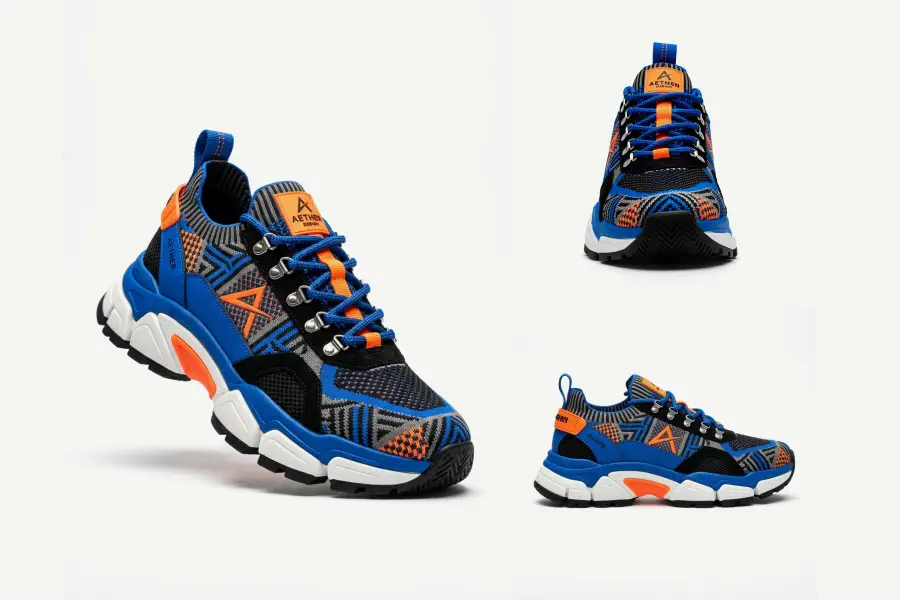
Qwen Image Edit can also generate side, back, top-down, and other useful viewpoints from one uploaded image, which makes it valuable when you want more coverage without collecting new reference photos.


Qwen Image Edit workflow for editing an existing image with a fixed subject

Who Uses It

Who gets the most value from Qwen Image Edit

The clearest fit is any team that already has a usable image and needs faster revisions without a reshoot.

E-commerce teams

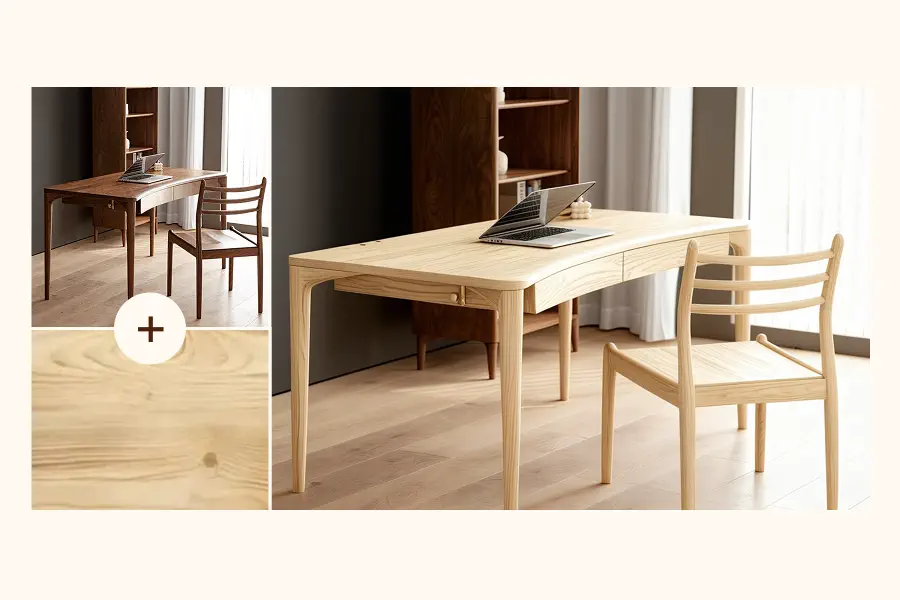
Use Qwen Image Edit to turn one approved product photo into multiple background variants, material looks, or surface treatments without changing the SKU and core product details shoppers need to trust.

“We kept the same hero product and changed the campaign setting in minutes.”

Try It Now
Qwen Image Edit use case for e-commerce background replacement

Performance marketers

When an ad image already works, Qwen Image Edit helps you make safer variations with new backgrounds, text changes, and cleaner scene control for fresh tests.

“We needed more creative options, not a brand new concept every time.”

Try It Now
Qwen Image Edit use case for creating paid media image variations

Localization teams

Poster translation, packaging updates, and multilingual campaign assets are a strong fit because the original design can stay intact while the text changes.

“Editing the words inside the image used to be the slow part.”

Try It Now
Qwen Image Edit use case for poster and packaging localization

Creators and small brands

If you want polished image revisions, selective fixes, or a few new viewpoints from one strong image, Qwen edit gives you a practical middle ground between manual retouching and full image generation.

“It feels closer to giving edit notes than restarting with another prompt.”

Try It Now
Qwen Image Edit use case for creators refining one source image

Editing Tips

How to get better results from Qwen Image Edit

Qwen Image Edit is more controllable than many image tools, but that also means complex edits need clearer instructions. Keep simple tasks simple, and add detail when the edit itself gets more demanding.

1
Tip 1

Keep simple edits simple

For straightforward tasks like a background swap, a text replacement, or a small cleanup, a short direct prompt is usually enough. You do not need to over-specify when the edit itself is simple.

2
Tip 2

Add detail when the task gets more complex

If you want to preserve identity, keep the layout, control the lighting, or make several changes at once, you need to say that clearly. Complex edits described too loosely are more likely to drift.

3
Tip 3

Specific instructions give you more control

That extra specificity is not just a burden. It is also why Qwen Image Edit can feel more controllable. The clearer you are about what to change and what to keep, the more reliably it follows your intent.

FAQ

Common questions about Qwen Image Edit

What is Qwen Image Edit best at?

Qwen Image Edit is best at controlled changes to an existing image. Background replacement, text edits, subject consistency, and scene cleanup are the most practical use cases.

Can Qwen Image Edit keep the same person or product?

Yes. One of its biggest strengths is preserving the core subject while changing the surrounding scene, which is why it is useful for products, portraits, and branded visuals.

Is Qwen Image Edit good for background replacement?

Yes. Background replacement is one of the strongest reasons to use it because you can change the setting without rebuilding the full image or losing the original subject.

Can it replace text inside an image?

Yes. Qwen Image Edit is notably better than many image models when you need to change signs, labels, packaging copy, or poster text while keeping the rest of the design stable.

Is Qwen Image Edit free?

Qwen Image Edit is not a permanently free tool here, but you can start with a free trial. That lets you test the workflow before committing to paid usage.

Can I try Qwen Image Edit for free?

Yes. You can try the workflow with a free trial. That is the best way to see how well it handles background changes, text edits, and subject consistency on your own images.

What is Qwen-Image-Edit-2511?

Qwen-Image-Edit-2511 is the model behind the Qwen Image Edit workflow. It is known for instruction-based image editing, stronger subject consistency, and better text handling inside images.

How does this connect to 3D Camera Control?

Qwen Image Edit and 3D Camera Control are complementary workflows. Qwen Image Edit is for flexible changes to the image itself, while 3D Camera Control is built for direct viewpoint changes and consistent multi-angle outputs from one reference image.

Edit one strong image into more usable variations

If you need cleaner background changes, better text edits, and more consistent image revisions, start with one reference and build from there.

Try It Free