Logo3D Camera Control
  • Camera Angles
  • Qwen Image Edit
  • GPT Image 2
  • Pricing
Logo3D Camera Control

Generate consistent multi-angle views from a single reference image.

Tools
  • Camera Angles
  • Qwen Image Edit
  • GPT Image 2
  • Pricing
Legal
  • Privacy Policy
  • Refund Policy
  • Terms of Service
© 2026 3D Camera Control. All Rights Reserved.
Powered by OpenAI

GPT Image 2

Better text rendering, stronger layouts, multilingual image output, and more controllable editing.

Optional · Up to 8
Click, drop, or paste imagesJPEG, PNG or WebP · Up to 10 MB each

Sign in to try it for free

GPT Image 2 Hero

Features

Why GPT Image 2 Works

GPT Image 2 is more useful when the image needs readable text, cleaner structure, or a quick revision.

Readable Text

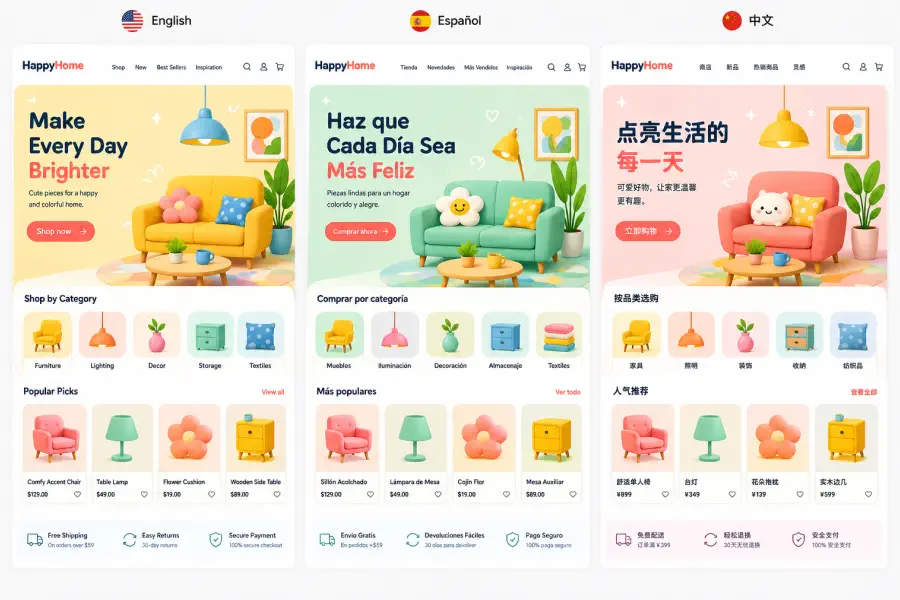
Posters, menus, labels, packaging, and infographics work better when the text stays readable. It is still the clearest reason people look for GPT Image 2, because the image can carry real copy instead of falling apart once words become part of the design.

Cleaner Structure

It holds together better when one image needs several information blocks instead of one subject on one background. That makes it more useful for explainers, layouts, and presentation-style visuals where spacing, grouping, and hierarchy need to stay coherent.

Useful Editing

If you already have an image, GPT Image 2 is useful for changing the background, updating text, cleaning up an area, or making a tighter revision without starting over. That matters most when the first version is close and you want iteration, not a full reset.

Better Output

The result is more often usable for campaigns, mockups, explainers, and internal creative work instead of stopping at rough concept quality. In practice, that means less manual cleanup before the image is ready to present, test, or ship.

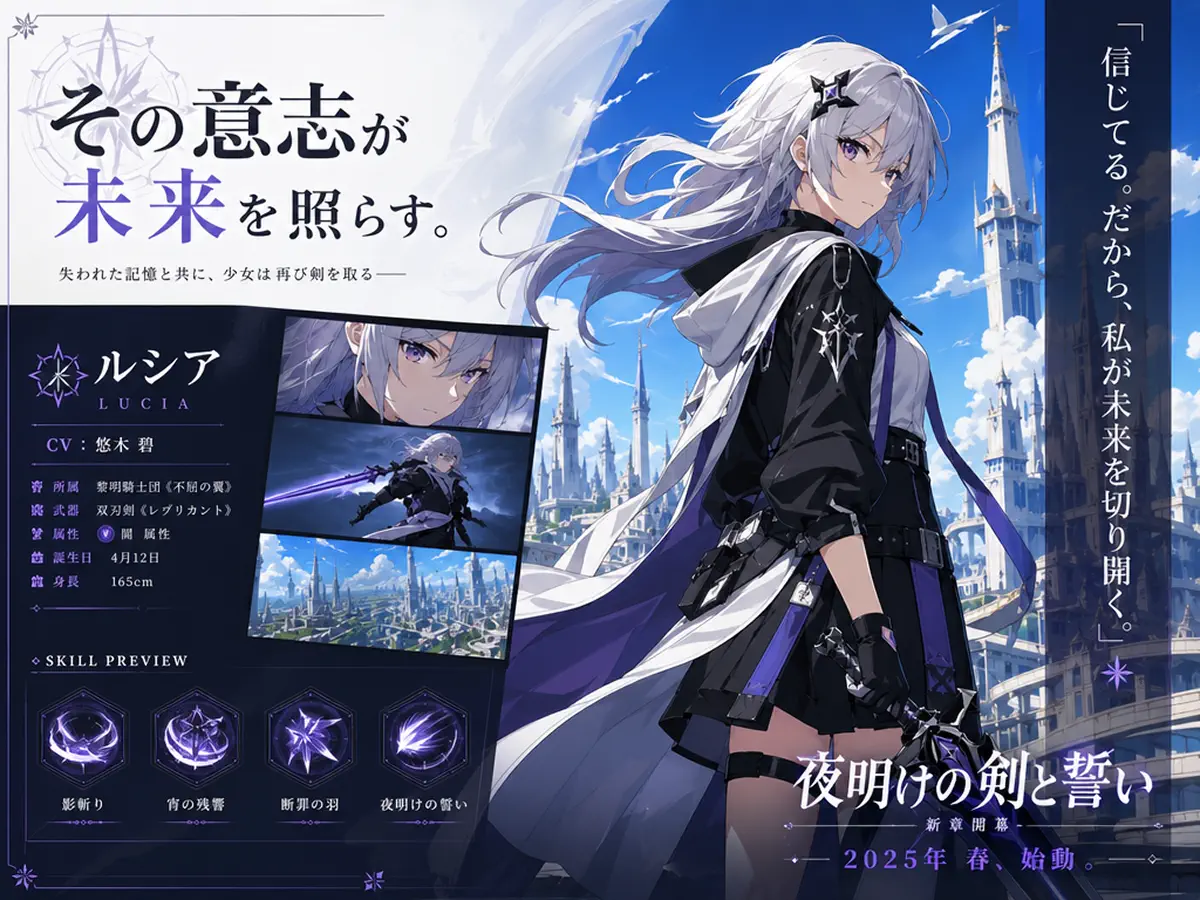
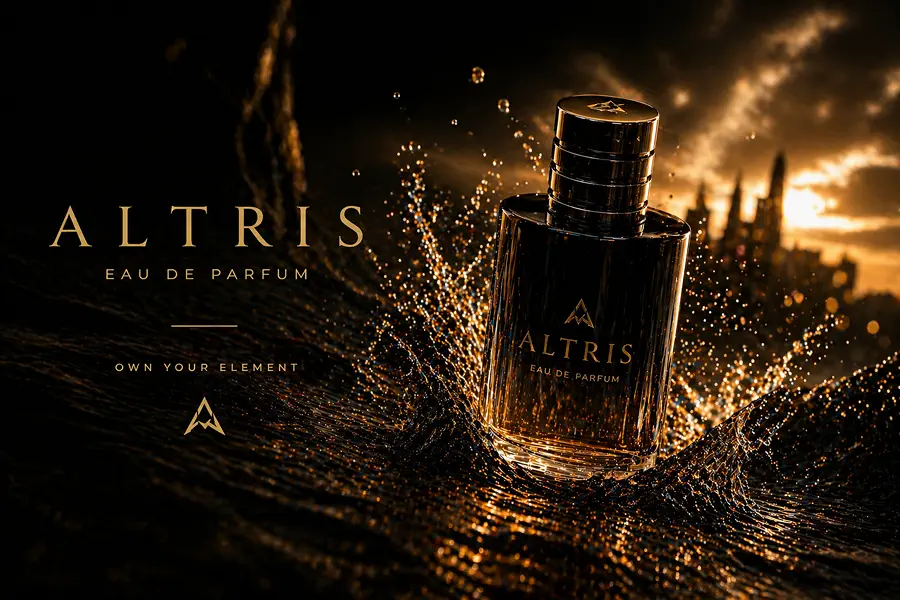
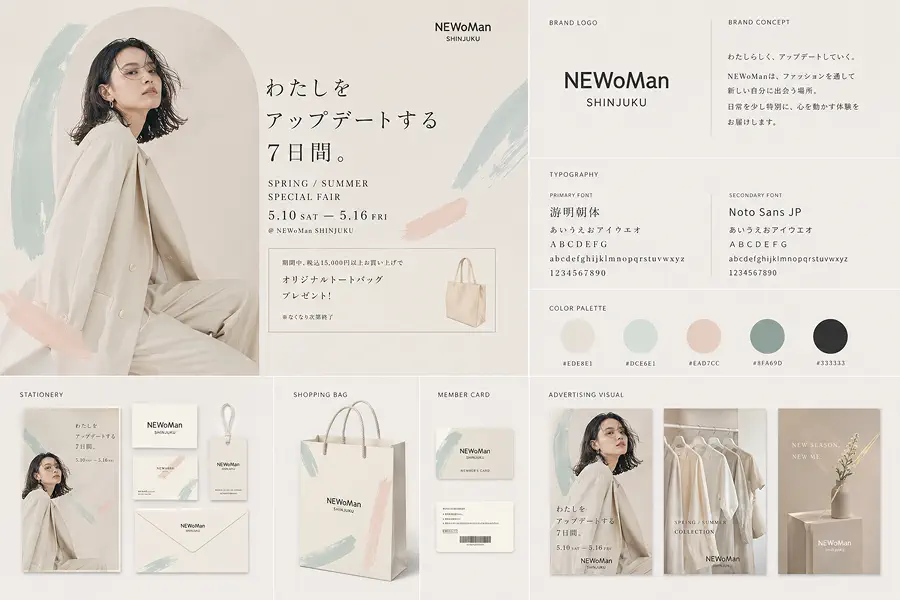
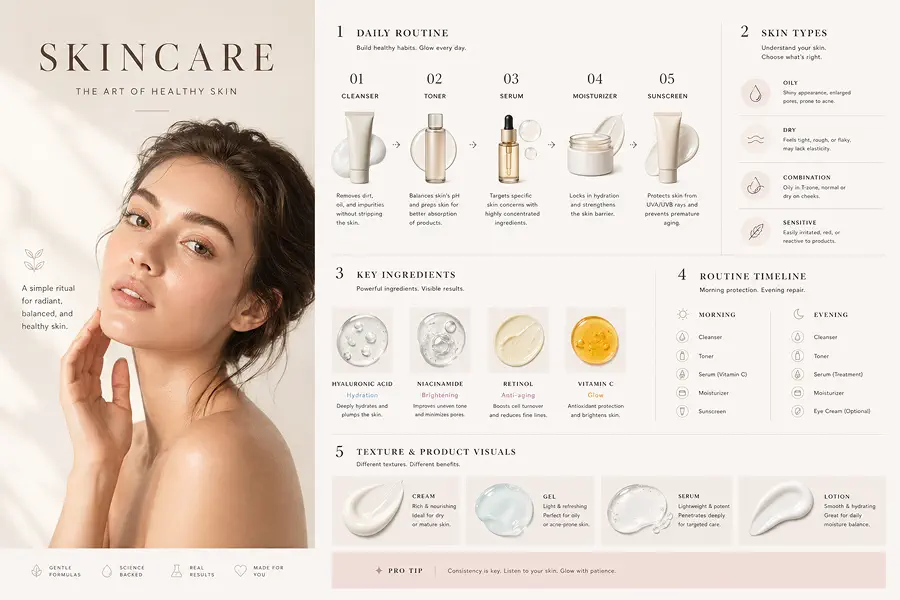
GPT Image 2 example showing readable text in posters and structured layouts

Use Cases

Who Uses GPT Image 2

Best for teams that need polished visuals, faster revisions, and better text inside the image.

Marketing and brand teams

Use GPT Image 2 for social ads, launch graphics, product visuals, and branded layouts that need readable copy and cleaner presentation. It is a better fit when the work needs to look closer to campaign-ready creative instead of staying at the mockup or moodboard stage.

Try It Now
GPT Image 2 use case example for marketing and brand teams

Designers and creative leads

Use it for editorial directions, interface concepts, presentation slides, and branded systems where the image has to carry more than mood. It helps when you want to explore structured ideas faster without losing the typography, framing, or overall presentation.

Try It Now
GPT Image 2 use case example for designers and creative leads

Content, education, and storytelling teams

Storyboards, explainers, research posters, lesson graphics, and comic-like sequences are easier when the visual still needs to communicate clearly, not just look interesting. That matters when the image has to teach, guide, or explain something instead of just decorating the page.

Try It Now
GPT Image 2 use case example for content, education, and storytelling workflows

Global and localization teams

Use it for multilingual campaigns, translated menus, localized posters, and market-specific variants that would otherwise need extra design cleanup after the first draft. When the text survives better inside the image, localization becomes faster and less fragile.

Try It Now
GPT Image 2 use case example for global and localization teams

How It Works

A simple way to use GPT Image 2

For most tasks, the workflow is simple. Describe the image you want, generate a first result, then edit or regenerate only if something still needs work.

1
Step 1

Describe the image you want

Write the actual output you need, such as a poster, ad, storyboard frame, product image, menu, or another visual. Include the key subject, style, and any text that needs to appear.

2
Step 2

Generate the first result

GPT Image 2 is strong enough that one clear prompt often gets you surprisingly close on the first try. For many use cases, the first generation is already a solid draft.

3
Step 3

Edit or regenerate if needed

If something is still off, adjust the prompt or edit the image directly. Common follow-ups are changing text, swapping the background, cleaning up details, or asking for another variation.

FAQ

Common questions about GPT Image 2

What is GPT Image 2?

GPT Image 2 is the OpenAI image model behind ChatGPT Images 2.0. It is mainly used for image generation and editing tasks where text quality, cleaner structure, and more usable output matter.

What is GPT Image 2 best at?

It is strongest on posters, ads, menus, infographics, mockups, storyboards, multilingual assets, and image edits where the result needs to stay usable instead of looking like a rough AI draft.

Can GPT Image 2 edit existing images?

Yes. GPT Image 2 can edit existing images as well as generate new ones. It is useful for changing backgrounds, updating text, refining part of an image, or making a cleaner revision from an uploaded source.

Is GPT Image 2 good for text inside images?

Yes. That is one of the main reasons people look for GPT Image 2. It is much more useful for posters, labels, menus, packaging, and information-heavy visuals than models that still break once real text appears.

Can GPT Image 2 generate transparent backgrounds?

Yes. OpenAI's current Images experience supports transparent backgrounds, which makes GPT Image 2 more useful for product cutouts, design assets, overlays, and other production workflows.

Does GPT Image 2 support different aspect ratios?

Yes. GPT Image 2 supports different aspect ratios, which makes it easier to create square, vertical, horizontal, and other layout-specific outputs without rebuilding the prompt from scratch.

Can I use GPT Image 2 outputs in commercial projects?

Yes. You can use GPT Image 2 outputs in commercial work, including marketing materials, product visuals, social media creative, client work, and other business use cases. See our Terms of Service for full details.

Can I try GPT Image 2 for free?

Yes, you can try GPT Image 2 for free. Free usage is available each day.

Create polished visuals with GPT Image 2

Use GPT Image 2 for ads, posters, mockups, storyboards, and image edits that need better text and cleaner output.

Try It Free